
You don’t need a list of 100 website builders to create your own website. Check out these 10 best free online website builders – the most popular online platforms for creating websites for free. No free trial – all website builders in this list are completely free, with no time limit.
Starting to write this article, I wanted to make a list of free website builders that would be the best among the online website builder platforms. But not just list them, but describe each and compare their free features in a single table. Thus, the reader can easily make his choice.
I have to admit that this turned out to be no easy task – there are over 100 free online website builders in the world and most of them are – to put it mildly – not very good. Having the experience of a professional web developer, it was not difficult for me to identify obvious outsiders. Therefore, my original list immediately became shorter by more than two times. But when there were about 2 or 3 dozen website builders left on the list, the hardest part began.
Which is the best free website builder?
This is a tricky question to answer. Website builders have some distinguished leaders, as in any other sphere. It is not hard to classify website builders into first-class platforms, second-class ones, and so on. But when it comes to checking out their free capacities, the choice becomes less predictable.
Why? Primarily, because some of the top names among website builders fail as they don’t even have a free plan. For example, Shopify – the absolute leader among eCommerce website builders. Or Squarespace – the perfect website builder for portfolio websites. Both these platforms have only paid plans.
Secondly, some otherwise perfect website builders have very strict limits for their free plans. In fact, their free plans are good only for testing the builder.
Free Website Builders Comparison
In order to figure out the best of the best free online website builders, I’ve put the entire list into a single comparison table. I compare not the maximum possibilities but only a free plan.
You can see that some website builders have page limits, while others don’t. Another important criterion is the number of website templates. The more of them, the better for you, because you will get more website design options to choose from.
| Free Site Builder | Number of pages | Templates | Custom domain | Storage | Bandwidth | Backup / Recovery | Online Store |
 WIX |
Unlimited | 792 | No | 500 MB | 500 MB | Yes | No |
 Weebly |
Unlimited | 50+ | No | 500 MB | Unlimited | No | No |
 Webnode |
Unlimited | 100+ | No | 200 MB | 1GB | No | No |
 Jimdo |
5 | 100+ | No | 500 MB | 2GB | No | No |
 Strikingly |
5 | 29 | No | 500 MB | 5GB | No | 1 product |
 SITE123 |
Unlimited | 160+ | No | 250 MB | 250 MB | No | No |
 Freewebstore |
Unlimited | 46 | Yes | Unlimited | Unlimited | Yes | Yes |
 WebStarts |
Unlimited | 100+ | No | 1GB | 1GB | No | No |
 Sellfy |
Unlimited | 1 | No | Unlimited | Unlimited | No | Yes |
 ECWID |
Unlimited | 80 | No | Unlimited | Unlimited | No | Yes |

Best Website Builders List
Here is a concise overview of each of the website builders. (For those who are too busy to read the full article.)
Wix
Wix has one of the best drag-and-drop page editors which is flexible and easy to use at the same that. All thanks to its intuitive interface. Due to a large selection of free templates (about 800), it is not hard to find a template for even the most unusual niches. Moreover, the templates are high-quality and responsive. This is one of the strongest Wix advantages.
The Wix free plan allows building a website with any number of pages. The storage and bandwidth offered are average (500 MB for each). But they should be enough for small business websites in their early stages.
Having the ‘Backup and Recovery’ options is a pleasant surprise. Such options are a part of the premium plans in other builders. Wix does not offer eCommerce functionality in the free plan.
Weebly
Weebly has a perfect drag-and-drop editor. And even though the choice of templates is much smaller compared to Wix (50 or so options), they are, at least, all responsive. However, some of them may have slightly outdated designs.
You’ll also get 500MB storage and limited bandwidth. The ‘Backup and Recovery’ option isn’t available (even in the premium plans, for that matter). The free Weebly website builder also doesn’t offer eCommerce functionality. Therefore, if you need a free online store, Weebly is not your choice.
Webnode
Webnode has more than 100 templates for you to choose from. And these can be customization using the built-in drag-and-drop editor. The Webnode drag-and-drop editors in definitely easier than that of Wix and Weebly. But that comes at the expense of functional features and weaker scope for customization. For beginners, however, Webnode is the simplest option.
The storage capacity (200 MB) and the absence of the ‘Backup and Recovery’ option are major drawbacks. But it comes with an acceptable 1 GB bandwidth. Also, the Webnode premium plans are 25-40% cheaper than its competitors. So, if you are likely to switch in the future, it is a good-for-the-pocket option.
Jimdo
Jimdo has over 100 website templates for you to choose from (much like Weebly). And it is very simple to use since it uses AI for making website development easier and faster (Wix ADI analog). All you have to do is choose a style, color scheme, and structure. Then the AI independently creates the design and fills the website with content on its own.
Jimdo offers 500 MB storage and 2 GB bandwidth, which is quite a lot compared to other free website builders.
The main drawback of the Jimdo free plan is that it has a 5-page limit. If you have a personal or compact business website, it’s fine. Otherwise, you’ll have to get a premium plan or consider using another free website builder without such limitation.
Like most free website builders, eCommerce features are not included in the free plan.
Strikingly
Strikingly differs significantly from the other free website builders on our list. That’s because its purpose is to develop and launch simple online stores.
The Strikingly free plan allows launching a free online store with up to 5 pages and 1 product to sell. It’s not much. But ideal for businesses that have just 1 product/service to sell. Just for such ecommerce websites, Strikingly is a great and free solution.
The free plan offers 500 MB storage and 5 GB bandwidth, which is acceptable.
SITE 123
SITE 123, perhaps, is the simplest website builder among all, which I’ve seen. Even my late grandmother could have worked with it. But this super simplicity comes from the lack of functional capacities. In terms of template flexibility, for example, it cannot even be compared with Weebly or Wix.
There isn’t much to get in terms of storage and bandwidth. The 250 MB each, which it offers is unlikely to be enough even for small websites.
The free plan also lacks the ‘Backup and Recovery’ option and won’t allow launching an online store.
Freewebstore
Freewebstore is one of the few fully-featured, yet free eCommerce website builders. There are no restrictions on the number of pages you can have or the number of goods you can sell either.
Moreover, you also get unlimited bandwidth and storage space. This is unheard of in free website builders.
Freewebstore allows creating website backups in the free plan too. You can also use your own custom domain. Thus, it presents a unique opportunity as a free website builder.
The drawback is that you have a $25.000/year cap on annual turnover. If you exceed $25.000 in annual turnover, you have to switch to one of the premium plans.
WebStarts
Webstarts is one of the oldest website builders. It has more than 100 free templates, some of which though have outdated designs. But there are also many contemporary and responsive templates.
Webstarts has no limits on the number of web pages you can have. And its free plan offers generous bandwidth and storage space (1 GB each). This is a lot compared to competitors.
Unfortunately, there is no ‘Backup and Recovery option’ and no possibility to sell through the website.
Sellfy
Sellfy is an easy and free website builder intended for developing online stores. A single universal template is used as a base. This means you won’t have a template choice as with the competing builders.
With the free plan, you can create a free online shop for selling up to 10 physical goods. Selling digital goods is not possible with the free plan. For that, you’ll need to switch to one of the premium plans.
As for strong points, there is no transaction fee with Sellfy. And you get unlimited bandwidth and storage space. In the free plan, you also get access to website statistics and the possibility to integrate Google Analytics. You can even create discount coupons for your online store.
But there is no Backup and Recovery function in the free Sellfy plan.
ECWID
Ecwid is a free eCommerce plugin that can be installed on any website and thus turned into an online store. You can also create a free online store from scratch – exclusively with ECWID capacities.
For your choice, there are 80 free templates, many of which are also responsive.
The free ECWID plan has unlimited bandwidth and storage space and has no restrictions on the number of pages. But you cannot sell more than 10 products.
Another advantage is the absence of a transaction fee and access to built-in website statistics.
Below I’m going to explain these free website builders in greater detail and outline what types of websites they are best for.
To avoid confusion while choosing one of these free website builder software, you need to be fully prepared. This article is to help you with all the information you need to make the right decision.
Best All-Around and Niches Free Website Builders
There are several main types of website builders:
- For Business
- For eCommerce
- For Photographers (Portfolio)
- For Personal Sites
- For Blogs
- For Multi-Language Sites
- For Membership Sites
- With Artificial Intelligence
Thus, every type of website builders has its own unique functionalities. This is highlighted in the templates offered by the builder, as well as the range of features you get.
This guide will help you find the best free website builders, particular to different categories. I’ll also explain what makes them best-in-class. Of course, they are all absolutely free software.
Since 2014, I have been testing more than 50 different platforms for building websites for this website builders review. I don’t recommend using most of them. But there are some notably good free solutions that I’ll tell you about in this review.
That’s why you should read the review until the end. I promise that this will broaden your knowledge in this sphere.
Best Free Business Website Builders
Let’s clarify what free website builders are the best for starting a business. When I say business, I mean a small business that isn’t directly linked to online sales. About free website builders for ecommerce I’ll tell in separate section.
WIX [ create a site ]
Wix is one of the best free website builders for any website creation. And the most popular free website builder on our list and globally all over the world. If I had to choose only one free website maker that offers maximum convenience, functionality, and simplicity, Wix would definitely be my choice.
Why is it so? Why is this tool so useful?
A little digression to shed light on the issue:
What is the difference between good and mediocre website builders?
Website builders are aimed at making a challenging task simplified and to provide users with advanced website development functionalities, all while still remaining intuitive and easy to use.
As a rule, if a visual editor has more options and capabilities for layout customization, the web interface turns out to be more complicated, but it also means that the website builder is more complex and challenging to use. The key to success is to find the perfect balance.
During all my testing with dozens of website builders, Wix turned out to be better than most other tools. Wix has the most advanced drag and drop editor among all website builders. It’s flexible and easy to use. It will allow you to perform more detailed and precise editing of your website design as compared to other tools.
Wix is absolutely free, compared to many other so – called ‘free’ website builders. Its free plan capabilities are pretty remarkable, letting you create professional and beautiful websites, absolutely free.
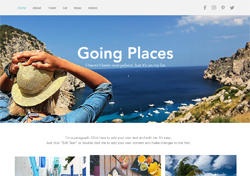
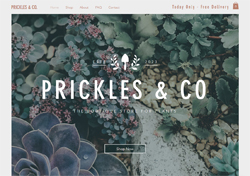
Wix has lots of web templates categories for any business niche. You can create a free website for almost any business type, for example, consulting agencies, travel, restaurants, automobiles website, and the like.
 |
 |
 |
 |
 |
 |
 |
 |
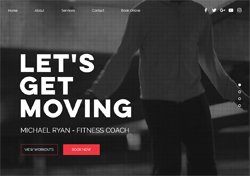 |
All screens are clickable and open in new windows
The variety you get with Wix templates is spectacular. Wix currently has 500 templates, the biggest web templates collection among all website builders, both free and paid.
For these reasons, Wix is the best free solution for a small business website.
Weebly [ create a site ]
Weebly can be an excellent alternative to Wix. It’s one of the oldest online website builders from 2007. It’s not for nothing that this free website builder dominates in many website builders’ ratings and discussions on Reddit and other popular communities.
It also has lots of free themes, though the number is less than Wix’s, you’ll have enough to find a suitable layout for your website.
In my opinion, Weebly editor interface is more complicated than that of Wix. Luckily, this software is also sturdy and brings you lots of useful features.
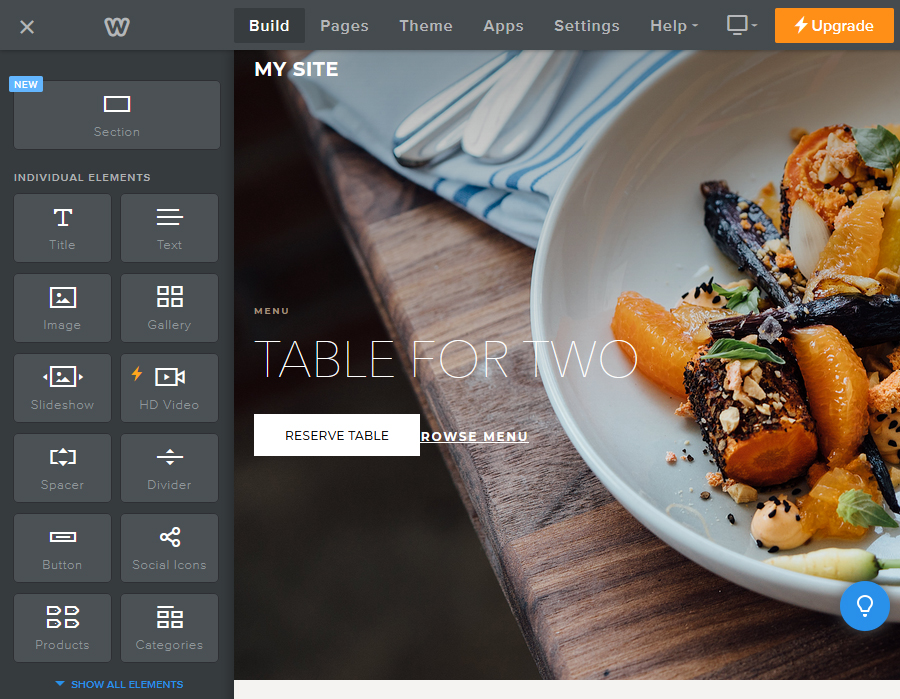
One of Weebly’s strengths is the more extensive flexibility for adding and editing HTML. This is good news for more advanced webmasters and for those who want the option to edit parts of their website personally, without depending on the drag and drop editor.
The second pro is that Weebly has advanced web architecture. That’s why this software is better suited for developing large websites than most other builders. If your site is to have thousands of pages, Weebly is definitely a tool you should focus on.
Best Free Ecommerce Website Builders
When you’re about to choose a platform for e-commerce, it’s very important to understand that most website builders offer e-commerce capabilities as an extra option, and, of course, at an additional cost. There are very few 100% free e-commerce site builders.
For anybody planning to launch an online store, I recommend paying attention to premium, yet, inexpensive e-commerce website builders. They’ll provide you with more sufficient capabilities than their free alternatives.
When your website becomes your direct means of revenue, you shouldn’t look to compromise on form and functionality with free solutions. Think of it this way – you’ll make a lot more profit by selling more products than by saving a few dollars on your site development and online store support.
Nevertheless, this guide is about free website builder software. So, here are two world-class free e-commerce website platforms.
Jimdo Ecommerce [ create online store ]
Jimdo is a classic free WYSIWYG website builder. Just like Wix and Weebly, it’s a traditional SEO – friendly website builder. However, it’s not nearly as good as the two alternatives I mentioned.
Jimdo is positioned as the perfect free website builder for personal websites. Apart from that, it can also be a good solution for creating a free basic online store. Jimdo has two modes – Jimdo Dolphin and Jimdo Creator.
You can use Jimdo Creator Mode to configure your website with immense flexibility because you get access to your website’s CSS code. It’s remarkable, but this advanced mode allows you to choose a free plan and create a free online store. As for Jimdo Dolphin, it doesn’t offer such a facility.
A free online store made using Jimdo will enable you to sell up to five products, and that’s why it’s a mistake to call it a comprehensive e-commerce store builder. But you should remember that you get all this without having to spend a dime. Moreover, Jimdo doesn’t charge any sales commission like most traditional e-commerce store builder software (for example, Shopify).
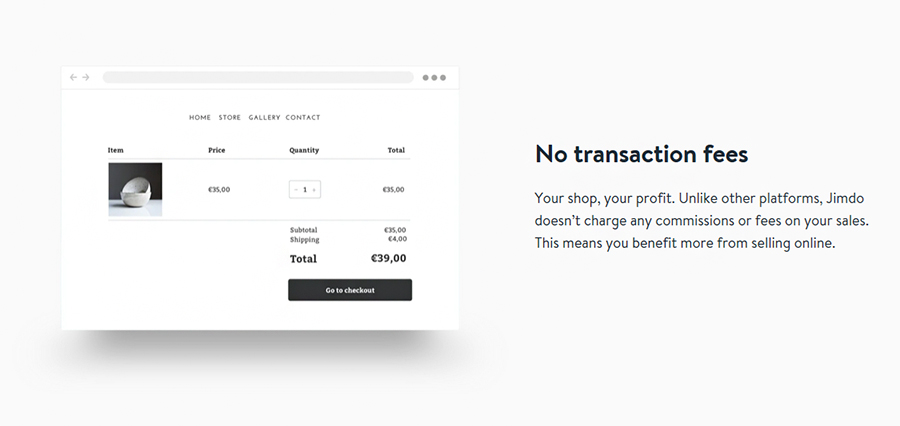
In my mind, Jimdo Creator is now the best free online solution for a simple e-commerce website, in spite of its limitations and a limited number of product listings.
Strikingly [ create a site ]
Strikingly is a noteworthy free one- page website builder. It allows users to create a free online store to sell a single kind of product.
To sell up to 5 products per site, you need a premium Plan Limited that costs $8 per month (you also get a Free Domain, as long as you opt for yearly payment).
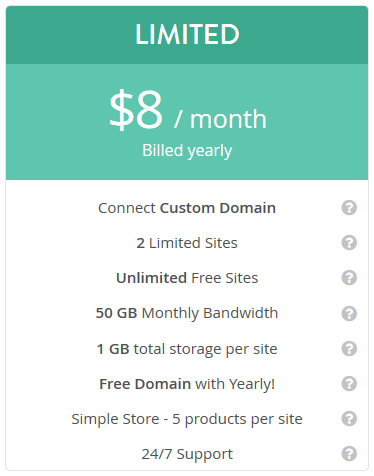
Strikingly Free plan lets you create an unlimited number of free websites with a 5 GB monthly bandwidth and the limitation of a single-product listing. You’ll also get 24/7 Support.

Now, it is time to tell you about the cons of Strikingly. Your free website won’t contain more than one page, anyway, which limits your options considerably. You’re also unlikely to get a free SSL certificate, which you get with Wix and Weebly.
Best Free Photography Website Builders
One distinctive feature of websites for photographers is that they have a clean gallery layout with a focus on displaying high-quality images.
In fact, the main purpose of such websites is to impress a user with images. Photography websites appear pretty basic on the surface. However, there’s a lot behind the visual appeal of these websites.
Let’s discuss what benefits the best free photography platforms can offer you, to create a stunning photography website.
WIX [ create a site ]
Originally, Wix devoted sizeable attention to photography websites. Although Wix isn’t a specialized free website builder, it offers more than 40 free professional photography templates, and you could use any of them.
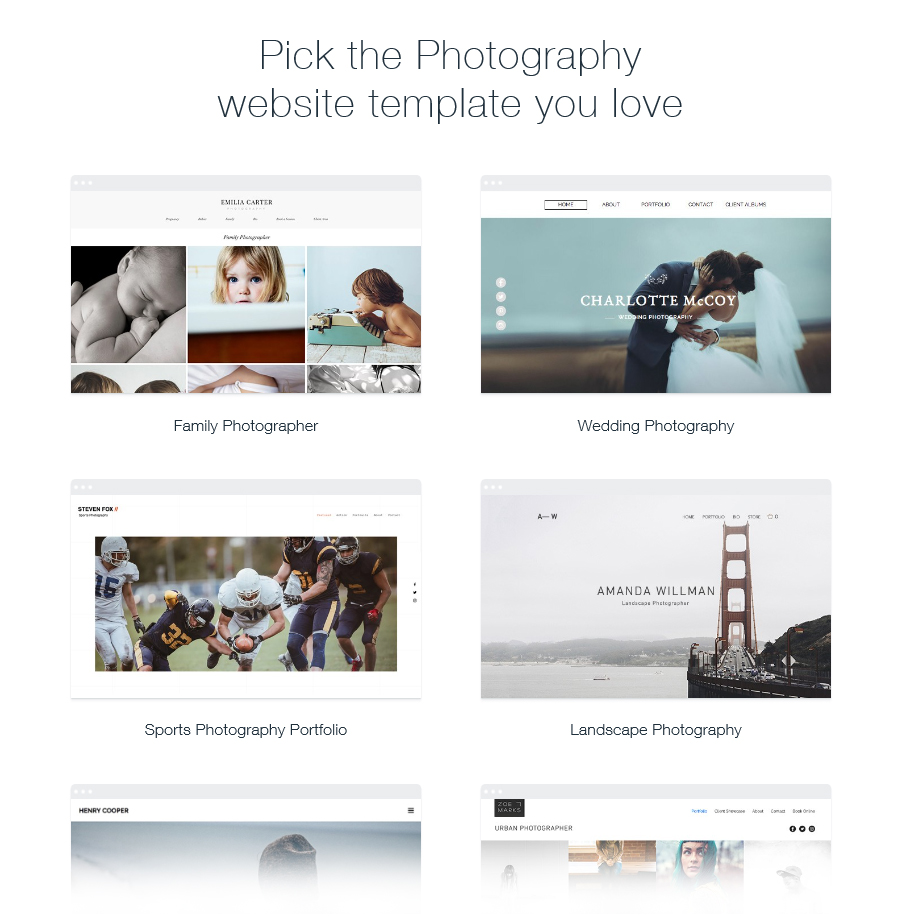
These photography templates are professionally designed, and look excellent. Most have minimalist multiple gallery layouts with a focus on showcasing visuals. In my mind, Wix’s photography templates are the best among all website builders. Squarespace is the only other website builder that has better photography templates. But this is a premium website builder without a free plan.
Back to Wix. The secret of Wix’s success is in its simplicity, along with great functionalities. And if you get all this for free – Wix makes a strong case as the number one tool for making different kinds of websites.
If you’re looking to build a free photography website, Wix is the perfect website builder. That’s because of its 40 excellent photography themes, and, because it’s quick at downloading images on your website. Moreover, what is important – it can perform automatic image optimization during downloads so that images can load quickly, without a compromise on their visual appeal.
You can also upload hi-res photos and they’ll be opened in full-screen view when you click on their default display.
Wix has image editing tools to let you edit your images before downloading them to the gallery. This can save you the trouble of using additional software to edit images.
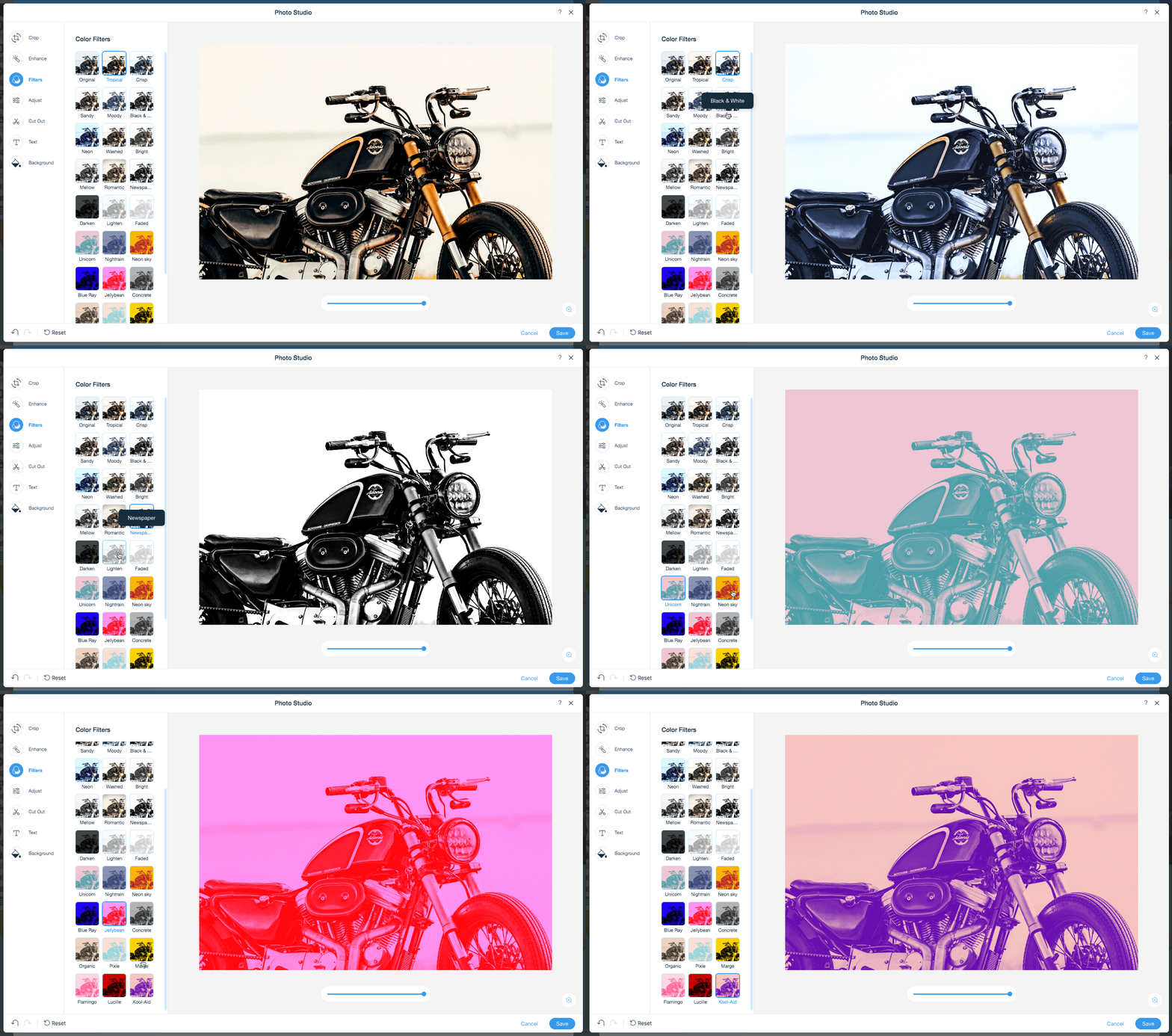
Read more: https://www.wix.com/release/notes/wix-photography
Wix also has several options for photographers: multiple gallery layouts (carousel galleries, slideshow), scroll effects, photo, and video backgrounds.
Webflow [ create a site ]
WebFlow, another one free high-end class website builder, is not exclusively tailored for photographers, yet it manages to stand out as a potent tool for creating visual-intensive websites. What truly piqued my interest in WebFlow was the precision and freedom it affords to users. Think of it like having the power of a professional coder without needing to write a single line of code.
WebFlow offers a diverse range of templates, and while not all are specifically tailored for photographers, they are malleable enough to be transformed into visually arresting portfolios. These templates exude professionalism, drawing inspiration from leading design principles. For me, they’re reminiscent of Adobe’s design platforms but embedded in a web builder. And the fact that some of these premium features can be accessed for free? Simply a cherry on top.
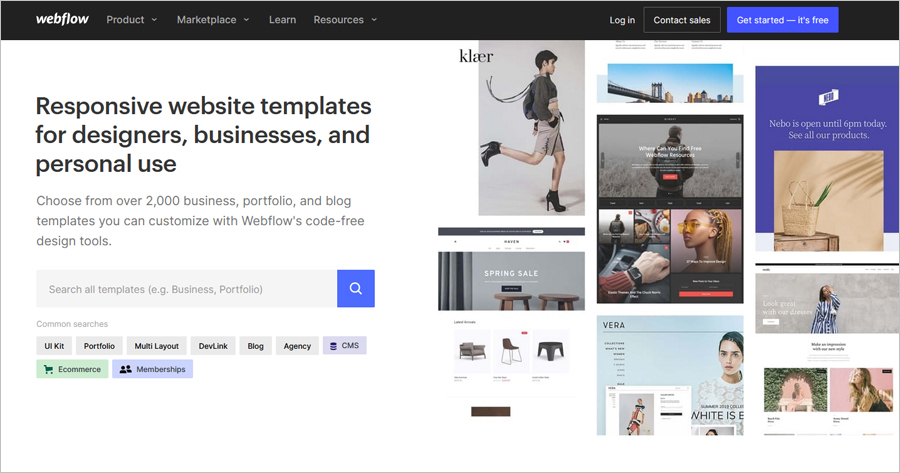
If image quality is your priority, you’d be pleased to know that WebFlow does not skimp on rendering images. High-resolution photos maintain their quality, allowing visitors to your website to view them in all their splendor. There’s also an embedded image editor, ensuring that those minor tweaks and adjustments can be done directly within the platform, eliminating the need for third-party software.
Now, to the unique offerings for photographers: WebFlow boasts features such as dynamic galleries, immersive animations, and interactive layouts. Want to play with parallax scrolling or intricate hover effects? It’s all possible here. Moreover, photographers looking to monetize their art can leverage WebFlow’s integrated e-commerce tools, transforming their portfolio into an online store.
However, I must be upfront about the learning curve. WebFlow’s design-first approach can be a tad intimidating for beginners. But once you get the hang of it, the freedom it offers is unparalleled.
My suggestion? Invest some time in their tutorials – they are a goldmine for understanding this powerhouse.
Best Free Personal Website Builders
A personal website may not necessarily be your online resume or personal portfolio. You can use a website for building your own personal brand, posting personal photos, or as an alternative for social networks.
When you’re developing your own personal free website, it’s obvious that you’ll need a website builder that’s easy to use. Plus, it should have enough features to let you create a beautiful website.
The fact is that there aren’t so many such easy and effective free site builders available. However, there are a couple of exceptions I didn’t mention earlier:
SITE123 [ create a site ]
I’ve used SITE123 several times and have been impressed every time by its simplicity and clarity. In my opinion, it’s one of the simplest website builders of all the builders I worked with. And at the same time, of course it’s free.
So, what makes SITE123 so convenient?
First of all, it is built with the intention of offering a basic step-by-step procedure for website building. In fact, considering that it has “123” in its name, Site123 lives up to its name.
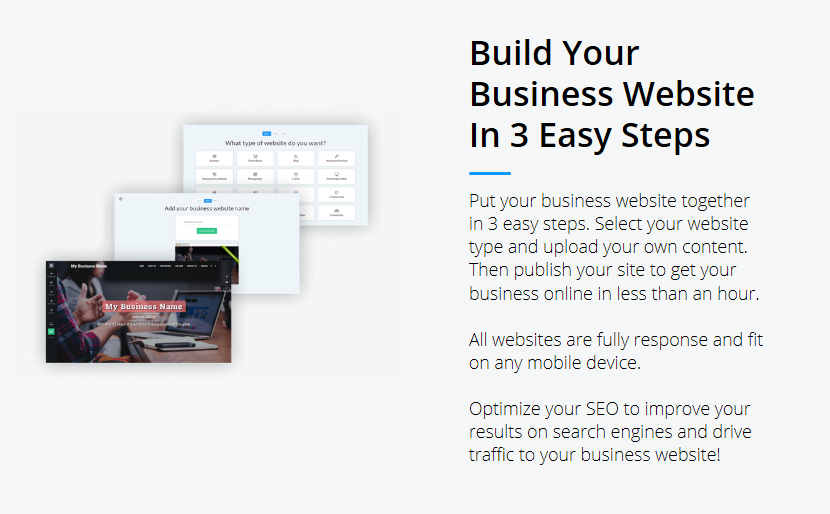
To start with, you choose the type of the website you need. This may be Business, Online Store, Blog, Event, Restaurant and Food, Photography, Music, Technology, and Other.
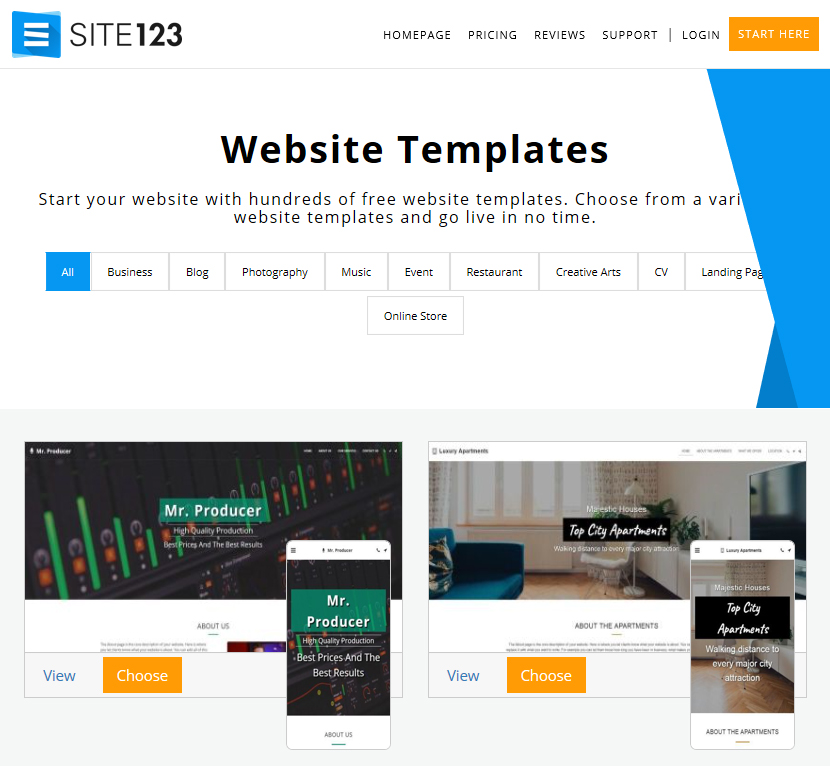
Obviously, it isn’t enough for you to create an e-store using only the free plan.
I should highlight here that, much like all website builders, SITE123 is not without cons. It’s a simple and intuitive website builder, but it is more suited to building basic websites. If you use only the free options, you won’t be able to create anything but a simple personal website with SITE123. Meanwhile, its free plan has no duration constraints, but limits storage space to 500MB and bandwidth to 1GB.
Another disadvantage is a low depth of navigation – it has only one level. It’s enough for basic websites but inadequate for websites with more complicated structures.
Your blog on SITE123 will also not be able to accept comments since it’s not provided by the service. It was a massive disappointment for me. You also won’t be able to change the HTML code as is possible with other, more powerful platforms.
Best Free Blogs Builders
The idea of setting up a successful personal blog comes to everyone at some point in their lives. There are different motivations for different people, for setting up a blog.
These could be: earning money, marketing via great content, or just writing about one’s life and hobbies. Statistically, most blogs are not commercial. That’s why website development costs matter, as many webmasters look for free blog building solutions.
There are two perfect and, surprisingly, completely different free solutions. Let us see what the difference is.
WordPress.org [ create a site ]
When it comes to choosing the most appropriate platform for a blog, it will be a mistake not to mention WordPress right upfront.
I am referring to the popular content management system (CMS) called WordPress.org, which isn’t essentially an online website builder, but an open-source software.
This means that you’ll need to develop a website locally on your PC and then upload your website to WWW, using another web hosting provider. In addition, you are also to get a domain name as well as an SSL certificate.
Being a professional web developer, I’ve created lots of websites on different CMS and website builders. I can confidently say that WordPress is not the ideal solution that could work for every beginner. And here are the reasons.
In terms of your tech-savviness, if you’ve leaped from creating a Facebook or Instagram profile directly to creating a blog via WordPress, you’re likely to find the learning curve too steep.
You will need web development and programming skills, Visual Design, UX, CCS/HTML, SEO, and at least basic Web Server Management skills.
That’s why, if you don’t know any of these, the best way out for you is to use simple, free, and ready-made solutions such as Wix, Weebly, and Squarespace. They do not demand any special web development knowledge.
But what should you do if you still want to use WordPress?
Here are my five tips that will make everything easier for you:
1. Use ready-made free WordPress themes:
If you are not a professional web designer, give up the idea of developing a website layout from scratch. Use ready-made free WordPress themes. The largest free WP themes selection is https://wordpress.org/themes/
If you think that quality is more important than zero-pricing, check Envato ThemeForest themes – https://themeforest.net/category/wordpress
This is the best premium WordPress themes collection on the web.
2. Use a free SSL certificate
To provide security for your website, you need an https extension. For this, install an SSL certificate on your website. The best free SSL certificates are https://letsencrypt.org
As for premium SSL certificates, good reputation have Comodo. You can purchase them with a discount by the following link.
3. Don’t use free web hosting
Using ‘don’t’ in this case was not a mistake. I haven’t seen any good free website hosting yet. If you don’t want your website to have a low uptime (often your website will be inaccessible, or ‘down’) and to upload faster than 20 seconds, don’t use any free hosting.
Please, understand that hosting providers are not charitable institutions. All their business decisions are aimed at making profit.
Remember free website builders with companies placing adverts (logo or text links) on free websites. In contrast to them, hosting providers can’t benefit from offering you a free hosting. They will not have any adverts or money from you. That’s why such hosting is likely to have strict limits as well as slowness and unreliability.
Taking this into account, it will be better to get a cheap but still premium web hosting.
Moreover, if you use WordPress, the best decision for you is to buy a special WordPress hosting. The best WordPress hosting I’ve used is Bluehost: https://www.bluehost.com/wordpress
In my opinion, it has the optimum price-quality ratio. It is not much more costly than a good shared hosting but has greater WP website possibilities.
4. Cheap but reliable domain name registrar
In contrast to free website builders where you get a free third-level domain name, you should get a domain for WordPress website separately. Domain names are acquired from domain registrars for a one-year period with their further extension.
Among thousands of available registrars, the best ones are as follows:
NameCheap – the lowest ‘.com’ domains costs
BlueHost – if you buy a one-year period hosting, you’ll get a free domain as a gift
DreamHost – reasonable costs for domains and free WHOIS for every domain
5. Use only verified WP plugins
There are thousands of different plugins and scripts for WordPress. Lots of them are free or shareware.
I don’t recommend using plugins of little-known developers. It’s better to install plugins that have already gained a good reputation, and, what is particularly important, update regularly.
Thus, you’ll avoid many technical problems with your site security as well as incompatibility of plugins and new WordPress versions.
Almost complete WordPress plugins collection is on the official website https://wordpress.org/plugins/
If you don’t want to limit yourselves by free plugins, check premium WP plugins from leading developers on Envato: https://codecanyon.net/category/wordpress
WIX for blogs [ create a blog ]
Well, using WordPress CMS is obviously not the easiest and cheapest way to get a blog. What do we have among more accessible (ideally, free) and simple website tools?
Wix. If you choose among different free website builders for starting a good blog, Wix is surely the best platform, even compared to famous Blogger and Google Sites.
The reason is simple. Wix has more capabilities, and, in general, is definitely more flexible than its free competitors. Wide functionalities are a rare quality in free website builders, so this exception is enjoyable.
Creating a blog on Wix, you can choose a necessary free template among hundreds of available options. It’s important to underline that there are templates suitable for different types of websites– from personal blogs to blogs about sport, travel or fashion:
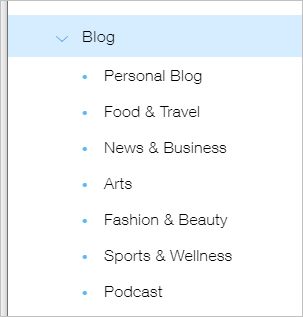
Furthermore, you, get the following possibilities:
- a correct display blog on any devices (from PC to mobile phones);
- the publication of new posts and edition of previous ones;
- categories and tags creation;
- an ability to add photo and video galleries;
- an ability to choose time for automatic post publication;
- simple settings for sharing posts in social networks;
- an ability to add comments;
- an ability to edit a blog both via drag and drop editor and directly through HTML code;
- an ability to add email subscription forms;
- integrated SEO tools;
- everything is intuitively for ordinary users.
Best Free Multi-language Website Builders
The need for creating multi-language websites is much more widespread than most would believe. It’s relevant not only for commercial websites but also for transnational business companies, as well as thousands of nonprofit organization websites across the globe.
That’s why the need for free multi-language website builders is rather pressing.
Well, it’s natural for you to wonder as to what free multi-language website builders will be the most appropriate. Let’s explore.
Webnode [ create a site ]
Webnode is an old free website builder that has been in operation since 2008, and can create perfect multi-language websites.
Its free plan capabilities aren’t as great as that of Wix’s, but Webnode can support more than 20 different languages for your website at once. That’s why, if you need a free multilingual website, Webnode is definitely one of the best free tools.
What else can Webnode do for free?
Firstly, there are more than 200 fully- responsive templates to choose from:
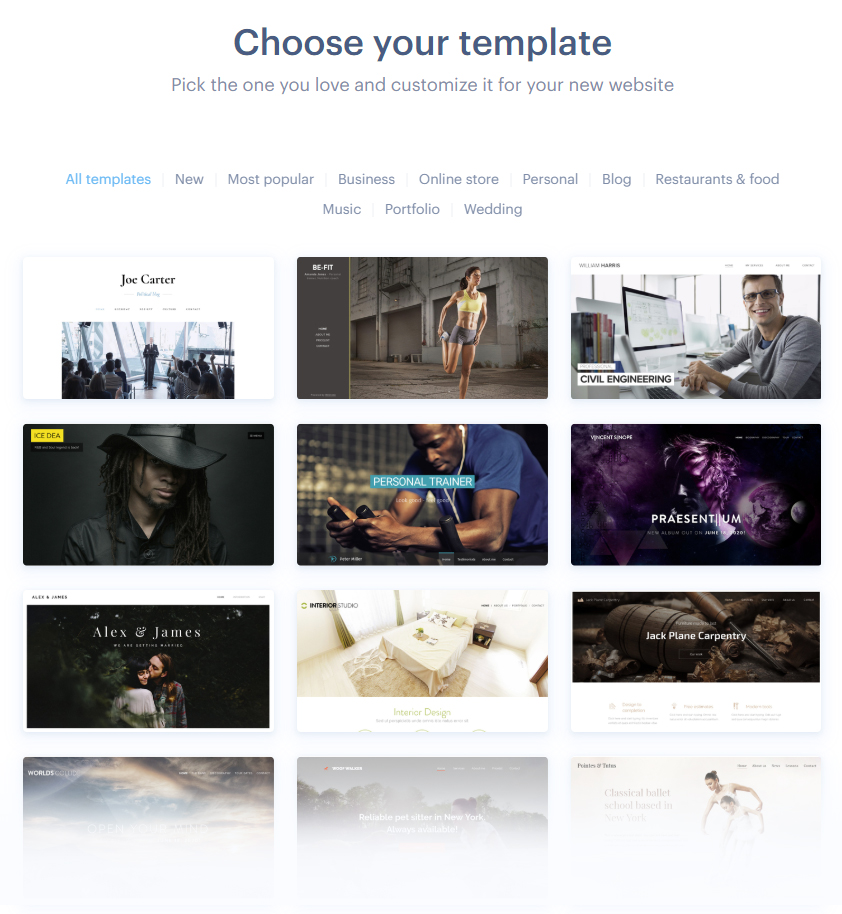
Notably, Webnode has a good templates category selection: Business, Ecommerce, Personal Site, Blog, Restaurants & Food, Portfolio, Music, and Wedding. That’s more than most website builders give you.
Let’s also not forget the modern and user-friendly drag and drop editor, an automatically created mobile website version (included in the free plan ), and access to HTML code of your website.
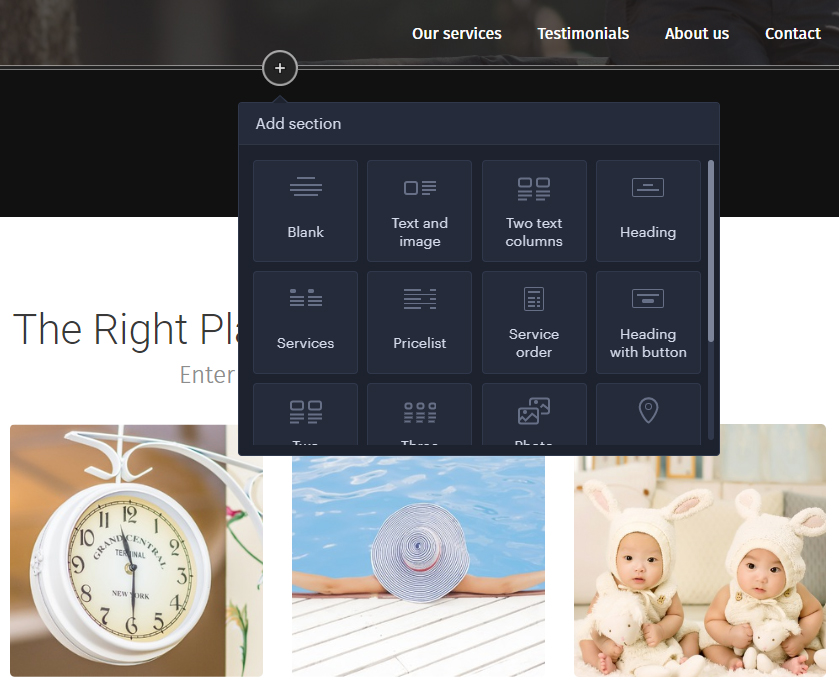
All these benefits make Webnode even more desirable for anyone looking to build a website. Therefore, this tool is among the leaders in many website builder ratings.
But I have to admit that Webnode, despite all the pros, is more useful in its premium plans, because its free plan doesn’t keep up with the benefits offered by similar plans from its competitors.
Wix [ create a site ]
How do I create a multilingual site on Wix? It’s very simple.
Wix, a free site builder, has a special function called Wix Multilingual. You can use it to create new language versions of the web pages that already exist.
For this, you need to click on ‘Multilingual link’ in your Wix Editor, choose the main language of your website and then the additional languages you need.
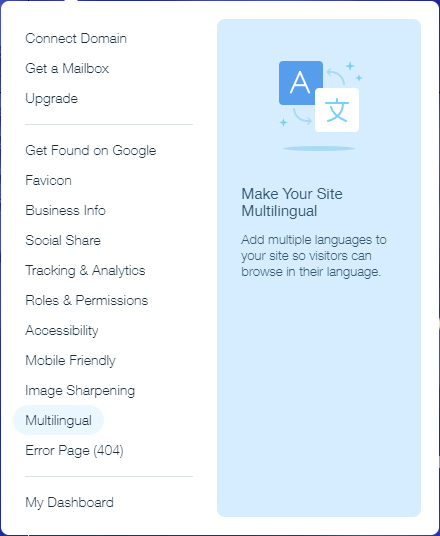
The result is that you get a free multilingual website, wherein every user can choose a preferred language, and get the content displayed in that language.
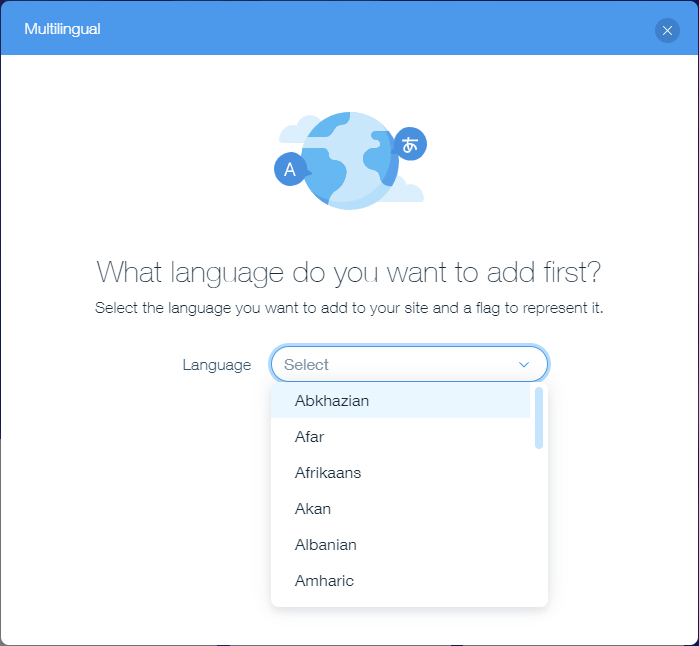
All you should do is to translate pages’ content and further add it to your website. Without it, the pages will be in the same language. This allows you to upload new translated content as soon as it is ready and not all at once. That’s logical and convenient.
Another Wix’s pros:
- you can translate your website menu;
- you can download unique images for every language version (they are the same for all languages by default);
- you can create unique links for every language.
The major benefit is that Wix makes it possible for you to translate content for Ecommerce websites. That means you’re now able to easily create a multilingual online store that can appeal to users’ comfort in different countries.
Why haven’t I placed Wix at the top? Wix can’t translate content for some niche business solutions and Wix apps: Wix Restaurants, Wix Hotel, Wix Forum, and Wix Blog. You are also not able to create a multilingual members area.
I hope, Wix will overcome all these drawbacks in the future.
Best Free Membership Website Builders
Why do we need membership websites? They allow creating members-only content, invisible to others. Access to this private content could be agreed upon preliminary correspondence, email invitation and via membership charges.
Thus, you can create a secret community with the members’ access to premium articles, closed cases, tutorials, forums, eBooks, online courses, coaching community, subscription boxes and much more.
There are lots of multi-purpose online software to create a free membership website. But there is a problem. Many free website builder platforms that support membership do it via third-party plugins. It is not that convenient, not to say that the functional limitations become obvious fairly quickly.
There are also highly specific online solutions that specialize exactly in membership website creation. Usually, they are not free, with their basic plan costing several times higher than that of a standard website builder.
But I know such professional membership website builder, and you could get it for free. This is Wild Apricot.
Wild Apricot [ create a site ]
It is one of the best specialized free website builders for membership websites. Using a free plan, you can build a membership website with a limitation of up to 50 contacts, but it will have all the features of premium plans.
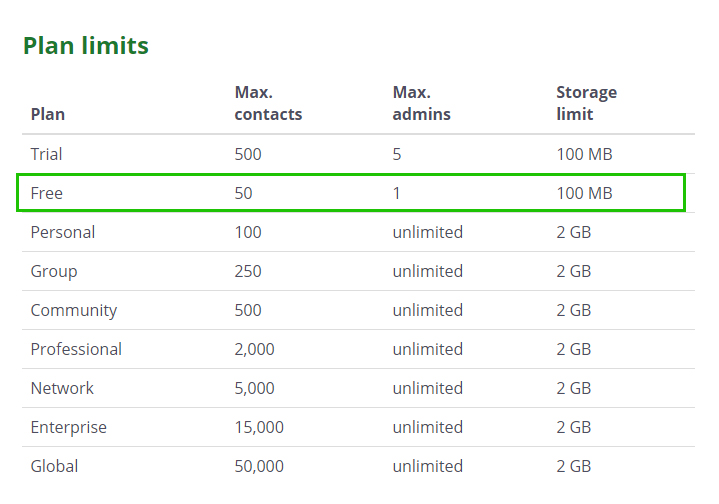
That’s very good because Wild Apricot has stronger membership capabilities as compared to Weebly, Squarespace, WordPress.com, Webstarts, and even Wix, and therefore it can create better membership websites.
Well, what are Wild Apricot’s strengths?
The main pros are as follows: you get a free website on free AWS website hosting and a free SSL certificate in addition to it. Also, you can edit the HTML/CSS code of your website.
And here are the pros of crucial importance:
- available multiple subscription levels (with subscription fees, benefits, periods);
- unlimited admin accounts;
- the opportunity to create both automated and customizable application membership forms;
- a wide choice of payment providers for integration (PayPal, Stripe, Affinipay, Authorize.net, Square);
- advanced membership management;
- event registration;
- online payments with subscription fees;
- member database;
- easy integration with WordPress (if you already have a website on WordPress);
Don’t forget about an online store bonus: Wild Apricot doesn’t charge any fee per transactions, if you sell something via your e-store.
I’ve noticed two cons. They are high premium plan costs and lack of great templates. As for plan costs, a basic plan starts from $ 40 per month.
For anyone accustomed to a great variety of free templates in Wix, Weebly, and Webnode, it’s very difficult to choose within only 12 Wild Apricot themes. Besides, despite their being responsive, the web design in some of them appears obsolete. I think it’s the weakest point for Wild Apricot. I hope that the developers will take notice of what I write and correct such comissions.
Wix [ create a site ]
Compared to other universal free website builders, Wix has greater capabilities for membership website creation. Usually, free website builders support membership areas creation as an advanced premium option (remember Weebly).
Other free platforms already have this option in the free plan, but their membership areas’ capabilities (for example, in Webstarts) are weaker than those of Wix’s. That’s why I place Wix in second place, after Wild Apricot.
You must not be surprised because I’ve chosen to spend more time to explain Wix than on any other software in my survey. I would like to delve deeper into other website builders, but as for Wix, it is head and shoulders above its competitors on many parameters. That’s why it’s often the first among online website builders, both free and premium.
Taking into account lots of undeniable pros of Wix stated above, it’s easy to agree that it allows to create perfect membership websites.
Is there a free Wix option?
Yes, if your website includes access to members-only content without payment processing. This may be a membership site for an organization or community.
But if you want to grant premium access to some private information, you’ll have to get one of Wix’s Premium Plans. It must accept online payments: Business Basic, Business Unlimited and Business VIP. You can check actual prices on the official page.
Well, if your website doesn’t require any payment processing, you can activate it and set Wix membership areas up for free.
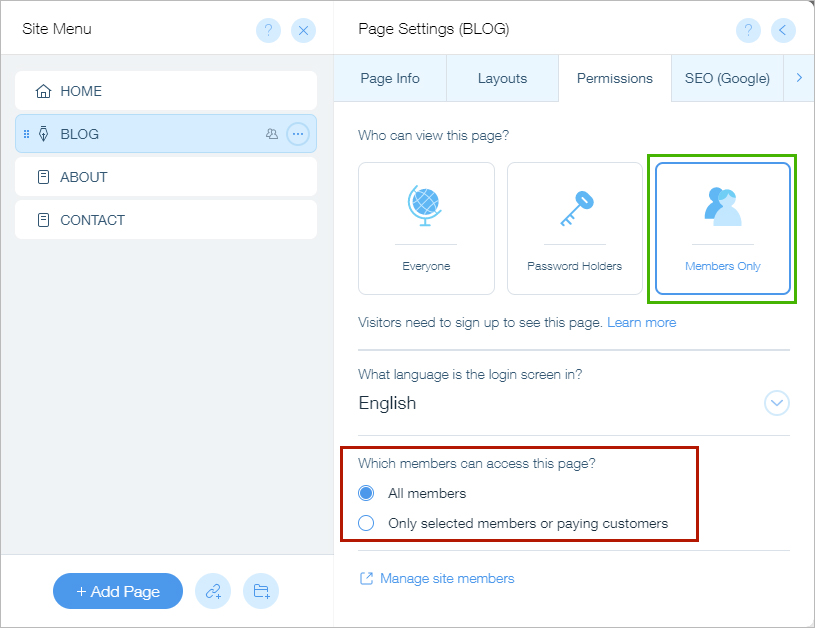
Wix premium options allow even more. Since this survey is devoted to free website tools, I’ll not place any emphasis on them.
I’ll just say that if you upgrade your Wix Plan to one of the Business Plans, you’ll be able to sell digital products (online courses, e-Books, video, any premium content). This also includes monthly product packages. In this case, Wix allows you to set recurring payments.
Best Free AI Website Builders
The creation of websites with the help of artificial design intelligence (ADI) isn’t a fantasy for several years already. ADI is actively used in web development, and, above all, in the most advanced online website builder software.
Let’s shed some light on how it works and what benefits modern free website makers with AI have over other platforms.
The best website builders constantly keep on improving their functional capabilities and, at the same time, try to remain user-friendly. In fact, these are mutually exclusive things. At some stage of development, the platform ceases to be easy to use and this may cause some difficulties for novice webmasters.
As an example, let’s consider Shopify – a premium eCommerce website builder. Over the years, Shopify has become quite a heavy and complicated e-store creator. Its focus on adding more technical capabilities has transformed the visual editor from something a beginner could use, to something that can intimidate a beginner. Today, nobody recommends Shopify as a relevant e-store builder for newbies.
Shopify developers have found a surprisingly simple and effective way out of the situation – each client is provided with a personal assistant who helps in the development of the website. Fortunately, Shopify tariffs allow you to do this.
But what about the free website builders who cannot provide their clients with personal assistants?
They found the perfect solution in the form of AI. They provide two modes to choose from: ADI, where artificial intelligence itself creates a website for you and Pro mode (could be called anyhow) where webmasters create and edit the website on their own, as they did it earlier. Moreover, you can easily switch between these two modes.
Here is the best free website builder with ADI:
WIX ADI [ create a site ]
Wix ADI is rightly the number two. I’m not surprised at all, considering more than 150 million websites all over the world have been developed on this free super effective website builder. This number is testimony to the reliability of Wix.
Let’s come back to the AI component. In order to help you with building a website, Wix ADI asks you to provide all the basic information about the site. These details include the type of website, for example, business site; your company name; its location; your color preferences and so on.
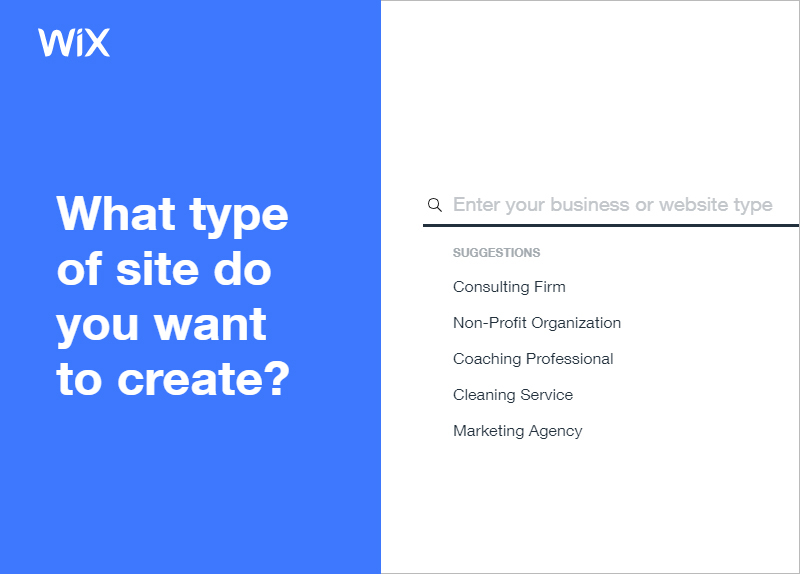
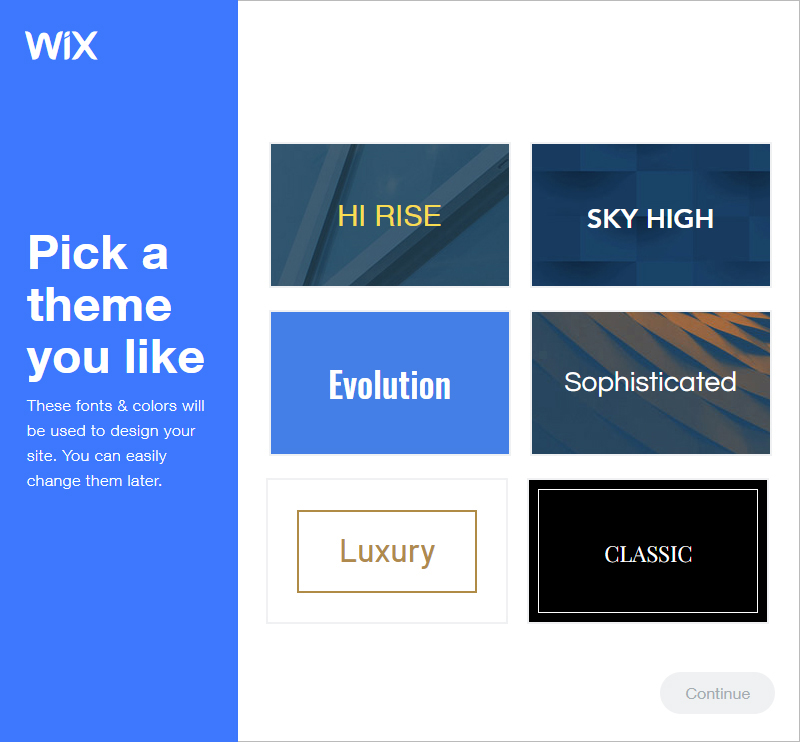
Further, according to Wix, their AI system will find all the information about your company in the public domain. This tool will create your website structure on the basis of this.
You can also choose the template you like, and fortunately, Wix has lots of them for various categories. But that’s not necessary. In this case, Wix ADI will offer you several web design mockups for you to choose the best.
At this point, you don’t have to do anything. The system will create a ready-made website in a couple of minutes. Of course, all is for free.
Read more about Wix ADI: https://support.wix.com/en/article/creating-an-adi-site/
Most Popular Free Website Builders
The most popular CMS in the world is WordPress. About a third of all existing sites are built on WordPress. But what about online website builders?
The absolute leader in popularity among free website builders is Wix. Millions of websites around the world are built on this platform. According to BuiltWith, there are over 3.80M live websites on Wix. This is probably the most popular free website builder at the moment. Wix is also one of the oldest website builders out there.
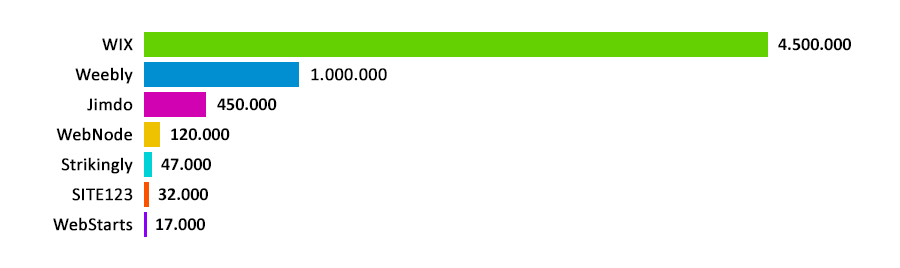
The second most popular website builder is Weebly, which has 962K+ live sites. And Weebly is the most visited website among free website creators with the exception of WordPress.com (440.10M), which we’ll come back to.
Third most popular website builder – Jimdo, c 406K+ live sites. The rest of the platforms have tens of times fewer existing websites than these three leaders.
Something About Free Website Builders Without Ads
I couldn’t ignore this issue, taking into account the number of people searching for queries like ‘free website builders no ads’ .
Let’s shed some light on free website builder software.
With ‘free,’ I don’t mean the website builders that offer you a two – week free trial, but 100% free online software instead.
Such website builders are based on the business model called ‘freemium.’ This means that they offer a basic service absolutely for free. There are no time limits – you can use this tool as long as you want. But if one of the Premium plans is paid, you’re likely to get an opportunity to use your domain name and upgrade your website’s capabilities. But this Premium plan is not mandatory.
The service provider gives you a site builder, free web hosting, a free domain name, and even a free SSL certificate (for some site builders). In exchange, it places an advertisement on the website. It usually looks like a text link, and sometimes a small banner with a website builder logo.
An ad is generally placed in a website’s footer. Thus, this is the minimum compensation for all the functionalities offered for free by your free website builder.
Some users don’t want to accommodate this link on their sites and keep on searching website builders that offer all the free service without ads.

I can honestly say that this is a thoughtless idea . The reason is that all popular free website builders place their advertisements for the free plan. It can be easily explained – they are not charitable institutions!
Of course, you can find some little-known website building services without ads, but they are much weaker than market leaders. The difference is so apparent that it could be seen with your own eyes.
In my opinion, it’s better to make a free professional looking website with a little advertising by using perfect free website builders like Wix, Weebly, Webnode than to use any noname web platforms with limited capabilities and a dubious reputation.
What Should One Take into Account when Choosing any Website Builder?
There are about a dozen parameters on which you could judge a website builder to decide if they’re any good. Pay attention to them now, to make sure later that chosen free website builder is really what you needed.
The Key Factors
They are mandatory for perfect free website builders:
Drag and Drop Editor
Drag and Drop Editor is one of the most important criteria you should consider when choosing a website platform. A drag and drop editor allows building web pages through simple movement of the elements of your web design. Just as you move your desktop icons. It’s very simple and incredibly effective.
Number of Web Templates
The higher the number of web templates any website builder has, the better it is for you. This means you have more to choose from. That’s always a good thing.
Full Responsive Templates
The importance of this factor can’t be overstated. The website builder you choose must have responsive templates; it’s very important. This ensures that your website looks great when viewed on any device – whether it’s a PC, tablet, or smartphone.
Unfortunately, some website creation software have outdated web templates that aren’t available for viewing on mobile phones. What require the creation of additional mobile apps.
Quality Web Designs
Not all web templates are equally good in terms of their visual appeal. Outdated templates can have problems not only with displaying on smartphones, but also look like long-established website designs. Such designs may well have been considered beautiful and professional for their time, but now they are visually outdated. Website builder leaders stay in sync with web design trends and replace their lower quality old templates with new ones.
Easy to use
The more intuitive a website builder interface, the better it is. The main aim of website builders is to provide newbie users with the opportunity to build their website without any help. Users should be able to do this without any help or skills in Visual Design, UX, CSS, and coding.
But some website builders are more complicated to use than others. Users are likely to have trouble understanding the visual editor. That’s why I give priority to this factor.
SEO Features
It’s very important for newly created websites to be well indexed by search engines and to have high page loading speed. Any user should have a possibility to easily configure meta titles and meta descriptions for each page. The availability of advanced XML sitemap is also useful.
Free SSL Certificate
Despite the fact that now the presence of an SSL certificate at a site is a necessity and not a wish, as it was several years ago, not all free website builders provide free SSL certificates. I recommend avoiding working with such website services.
Additional Factors
These are not a must, but they are likely to give you benefits, and in certain cases even make your website work far more effective.

Uploading custom templates
This option will excite you if you’re a web designer. Some free website builder software allow using your own website templates and not just those in the gallery. This allows you to create a website that looks precisely how you want it to, irrespective of the type and quality of templates offered by the platform.
Oppotunity to edit site HTML/CSS code
This option is likely to be useful for HTML coders and programmers. You can customize your website by changing an HTML code directly and bypassing the visual editor. This factor could be very important for experienced users with necessary skills in web development.
Membership system
There are website builders (including free plans) that allow creating websites with membership-only sections, and only members could get access to them. In this way you can create sites for online courses, eBooks, coaching, and many others.
Additional apps
In addition to the main features, popular website builders have additional app libraries in AppMarket. This may significantly broaden your site capabilities.
No commission on sales (for ecommerce)
Some ecommerce website builders (for example, Shopify), charge a commission on every product sold through your website. This commission usually doesn’t exceed 3%, but nothing beats when you don’t have to pay any commission! That’s why I have highlighted this as another desirable factor when choosing a website builder.




28 comments
Thank you for sharing!! This is one of the most comprehensive and detailed guides on choosing website builders I’ve ever come across! It’s great that you talked about the downsides of free website builders instead of focusing only on the positives, which is what most people do.
I have just one question, and I’d be really grateful if you could answer it: Many of the website builders you mentioned allow you to buy a top level domain only on their premium plans, but it’s usually possible to do this with a basic paid plan. If I buy a premium plan (like on Wix) for the first year and purchase a top level domain for my website, then switch to a free plan in the second year, will I still own the domain.? Would I end up with a free website with a top level domain but on a free plan? Is that correct?
Thanks for your review, it’s really golden. I’m about to dive into making my own website and am picking through website builders. I don’t mind shelling out some cash for it..
I reckon you get what you pay for. but here’s my snag – I’m over 60 and kind of scared I’ll tangle with this tech, even though you say many of them are pretty straightforward. so, the million-dollar question – which of the free website builders you mentioned is so easy that even an old dog like me could learn a new trick?
Really enjoyed this article, can I set it up so I receive an update sent in an email every time there is a fresh article?
Thank you for helping us make decisions about our next website builder. We have chosen weebly based on your analysis.
I’m curious to find ouut what blog platform you have been utilizing?
I’m having some minor security issues with my latest website and I’d like to find something more risk-free.
Do you have any suggestions?
I’m using WordPress CMS but it’s obviously not the paltform that is worth mentioning if we are talking about security. In terms of security, WordPress has enough vulnerabilities.
Try Squarespace or Wix – they have well thought out blogs and there won’t be any vulnerabilities.
Ok, can I later upgrade from free plans to premium without losing my current website?
I would like to try free website builders, but fear that I will have to re-create my website if I decide to upgrade to the premium plan. I would really appreciate your answer.
Don’t worry about it. If in the future you decide to switch from free plan to premium, then you will not have to rebuild your site. Free website builders allow you to upgrade your free plan to paid ones without any difficulties. Otherwise, they would not be able to turn their free users into real customers.
You’ve done a lot of work, but I still haven’t heard the answer – which website builder did you choose to be the best? Obviously, everyone cannot be equally good.
Ok, do you think I have the right to say that let’s say Wix or Weebly is the best free website builder among all web platforms? Seriously?
I won’t be impartial in my assessment if I do this. And the point is not even that it will look like an advertisement. To decide on the best website builder, you need to consider the specific situation of each user.
For example, one needs a simple personal website, another one needs a website for his company, the third one needs an online store, and the fourth, for example, needs a travel blog. How do you pick one best website builder here? Obviously, in all these cases, different platforms will be the best solutions. Therefore, I wrote an article not just in the form of a rating of website builders, but so that everyone could independently figure out and make their own choice.
Other users prioritize ease of use so that they can build their own website in just one click. Others appreciate the optimization for search engines. Still others are looking for unlimited bandwidth and the presence of C-panel. For the next ones the most important thing is the availability of many widgets and aps in the App market. And almost everyone wants to build a site without any technical skills.
And believe me – I do not undertake to answer all these desires with just one super platform. It just isn’t possible.
I have a question
I want to bulid website with visible members, doctors, with their photo andcontacts. So visitors can enter website look for a doctor (filter, sort) and connect with him by social media: face, insta, phone
Could you recommend me which platform should I use ?
thank you
Hi Michael. Many of the website builders described here are capable to accomplish this. You only need to find a suitable web template. In addition, if you won’t find a perfect template suitable for the options you need, pay attention to the ecommerce website builders. Yes, yes – to them, only you won’t have the options to buy, but instead of the description of the products – the descriptions of the doctors you are talking about. Just to filter and to sort is what ecommerce websites can do very well.
Thank you so much for the in depth easy to understand article. I have just launched a new business and will most likely use a Premium Plan from Wix. I’ve also been wondering about membership websites as I’d like to develop an ezine featuring tutorials that would be free initially and is upgradeable.
I could ask at least 10 questions but this isn’t the proper place. You’ve given me a place to start so Thank You again!
Regards,
NanB
Hello. If these are questions related to the choice of website builder – feel free to ask them in the comments. I will try to help you with this. If you have questions about the functional features of the website builders themselves – you better ask this to the team of those support companies.
Thanks for the info but please, which is the best free website builder for uploading video and audio
Check out Wix and Weebly – they have the greatest functionality among free website builders and I’m sure there will be no difficulties with uploading video and audio.
WOW.. I’m impressed with the work you have done! this is a huge article, but I read it in one go!
I’ve never considered website builders as a website development tool, but now I want to try this. Definitely worth testing out a few free website platforms from your review. Perhaps this will be a good alternative for WordPress. In the last couple of years – it has created a lot of problems for me and I don’t mind to find an alternative to it.. more simple and less buggy, but the same free.
This is the most informative article I have read about website builder software.
I especially liked your section – “Something about free website builders without ADS”. You wrote it very well and honestly.
Many people do not understand this and are trying to find absolutely free software and at the same time that there is no advertising.
But this does not happen – you have to pay for everything. If you want to save some money, get ready to have some advertising on your website.
Thanks for the comment. Yes, it is – people are always happy to get something for free. It’s right. But you need to understand that for free you always have to pay. Often not money, somehow differently, but have to. In the case of free website builders, such a fee is the availability of brand ads on the website. And in my opinion this is not a very high fee for a completely free website.
Hi Lesley. One question – can I develop a website on any website builders that you listed without really going into technical details?
I need a simple website with a photo gallery for my cars. I want it to be on a dark background and contain a minimum of detail. Simple and convenient.
I don’t really understand how to use these drag-drop editors, which is forgivable for an old man who is in his 60s.
Good to hear from you again. Of course – it’s possible and it’s very simple. Try to use free AI web builders. In this case, artificial iIntelligence will do everything for you – select the web template, color scheme, structure of the mockup, needed sections and more. All that is required of you is to answer questions – then everything will be done automatically according to your preferences.
If you have any difficulties – let me know, I’ll help you.
By the way, you said that you need a site as a photo gallery for your cars – are you a collector of vintage cars?
Hello. I want to build my website with free custom domain name.
Is this possible or will I need to pay extra for a domain?
Good question. I will try to talk about this as clearly as possible:
All free website builders allow to use the free domain name of the form: yourname.websitebuilder.com from those that are not yet occupied by other users. At the same time, “yourname” – this may not necessarily be exactly your name – and in principle, any word you like.
If you want to use a custom domain name (perhaps you already have your own domain) then you will need to purchase one of the premium plans. As a rule, the most basic paid plan for each free web creator will allow you, among other things, to use your custom domain name. In addition, Wix has a separate option – Connect Domain, which allows you to add your custom domain at a price half that of the base premium plan. But at the same time, this option does not remove Wix brand ads.
There is only one free website builder that allows you to use your custom domain name for free – this is IM creator. But, as I said in this review – IM creator is a free tool only only for students, artists and non-profits. And you will need to provide the appropriate documents to confirm this.
Thanks for the comprehensive answer. Unfortunately, I’m far from being a student. I’ll try to buy Connect Domain and make a website on Wix.
Thanks for the help and review – you are doing a great job. Shared your review on Facebook.
Thanks for such detailed and incredibly useful review.
I want to use Wix free plan, but will it not turn out later that one day Wix ceases to be free and requires to pay for its use, and if I’m not agree, they will simply close my website?
No, that won’t happen. Of course, I cannot guarantee because I’m not an official representative of Wix or any other website builders. But Top 5 free website builders (Wix, Weebly, Webnode, Jimdo) always had free plans and they were always 100% free.
None of these website builders have ever tried to cancel their free plan. I can assume that this will never happen. These platforms have successfully and long been using the freemium business model – why should they change this?
So don’t worry about this.
Thank you for answering me. Hope you’re right.
Incredibly helpful article. I was just about to develop my site and your review of free website builders will be very useful to me. thank you.